Laptop & PC Repair
Laptop & PC Repair in Dumfries
Laptops and desktop PCs diagnosed and repaired at my Dumfries shop, with an honest view on whether it’s worth fixing.
- Drop-off service
- Qualified & insured
- 20+ years in IT
- 4.9★ from 50+ Google reviews
If your laptop or PC has stopped working properly, bring it to my computer shop on Shakespeare Street in Dumfries. I repair Windows laptops and desktop PCs of all makes, including Dell, HP, Lenovo, Acer, ASUS, Toshiba and home-built machines.
Every repair starts with finding out what’s really wrong. You get a plain-English explanation and a clear idea of cost before anything goes ahead, and if a machine isn’t worth repairing I’ll say so rather than take your money.
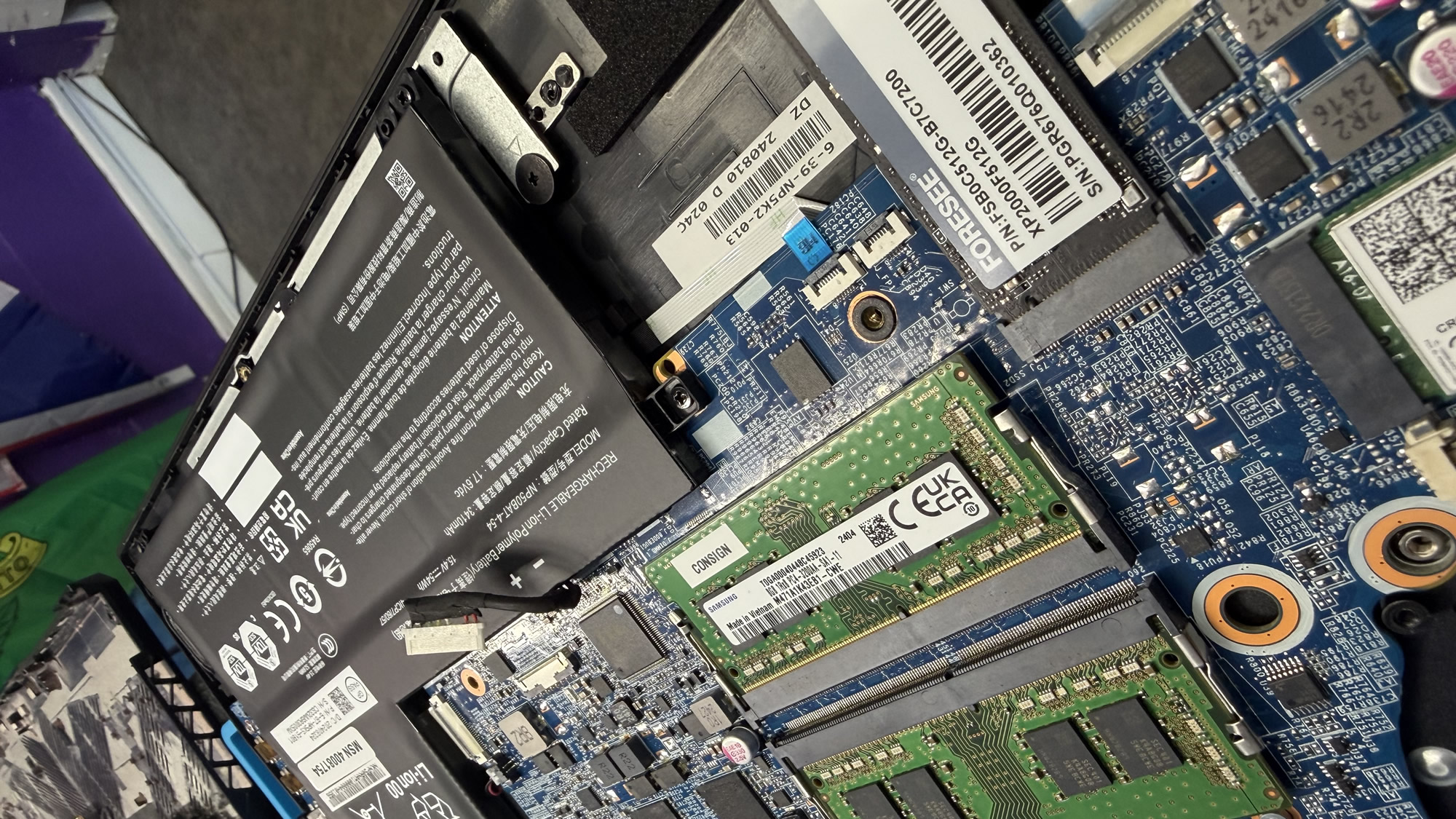
Explained
Is my laptop worth repairing?
Often, yes. Many of the laptops and PCs brought into the shop have a fault that is cheaper to fix than people expect: a failing hard drive, a corrupted Windows installation, a clogged cooling fan, or simply an old drive that makes everything crawl. Fixing those, and usually fitting an SSD at the same time, can give an older machine years more use.
Sometimes it isn’t worth it, for example when a very old machine needs an expensive part, or can’t run a supported version of Windows. In that case I’ll explain your options honestly, help you choose a replacement if you want, and move your files across so nothing is lost.
My promise
- Honest advice, even if it means spending less
- Your files backed up before any major work
- Options and cost explained before I start
Repair or replace?
A rough guide. I’ll give you a straight answer for your machine.
Usually not worth repairing
- Very old machines that can’t run supported Windows
- Repair cost close to the price of a replacement
- Several major parts failing at once
- Severe liquid damage to the main board
Usually well worth repairing
- Slow machines that need an SSD and a tidy-up
- Windows faults, failed updates and boot problems
- Overheating caused by dust and old thermal paste
- Failing drives where your files need saving
What I do
How I can help
Fault diagnosis
Testing the drive, memory, power and temperatures to find the real cause, so you’re not paying for guesswork.
Drive and SSD replacement
Replacing failing or slow hard drives with a solid-state drive, with Windows and your files copied across.
Overheating and dust clean-outs
Cleaning out fans and vents on laptops and desktop PCs that run hot, shut down or sound like a hairdryer.
Windows and software repairs
Fixing machines that won’t start, are stuck on updates or full of errors, or rebuilding Windows cleanly with your files kept safe.
Screen, keyboard, battery and charging faults
Bring it in and I’ll diagnose the fault and tell you honestly whether a repair is worth it and what it’s likely to cost.
Desktop PC upgrades
More memory, a faster drive or a check-over to keep a family or office PC going for longer.
Remote or drop-off? Hardware faults need the laptop or PC dropped off at the shop. Book a time online or just call first. Can’t get to the shop? I can collect and return it, or visit you at home or work. About remote support
“I tried James as I was looking for a better option for computer repair. He is the best and most reasonably priced guy I have come across. Very helpful, advising and guiding and doing the job in short order. For anybody, like me, who managed to screw up their computers I would recommend him.”
Free advice
Try this first
A few things worth trying yourself before you get in touch. If they don’t do the trick, I’m happy to help.
- 01
Check the charger
Try a different socket and look for a light on the charger or laptop. A faulty charger is a common cause of a “dead” laptop.
- 02
Hold the power button
Unplug the charger, hold the power button for 30 seconds, then plug back in and try again. It can clear a stuck laptop.
- 03
Plug in a monitor
If the laptop starts but the screen is black, connect a TV or monitor. If a picture appears, the fault is the screen itself.
- 04
Spilt a drink?
Switch off and unplug straight away, remove the battery if you can, and don’t switch it on to “test” it. Bring it in as soon as possible.
How it works
What happens when you get in touch
- 1
Tell me the problem
Book online, log a job, call or drop in. Describe what’s happening in your own words.
- 2
Honest diagnosis
I find the real cause, whether that’s on a remote session or on the bench.
- 3
Agree before any work
You hear the options and likely cost first. Nothing goes ahead without your OK.
- 4
Fixed, tested, explained
The job is done properly, checked, and explained in plain English.
FAQ
Laptop & PC Repair: common questions
More answers on my FAQ page.
Do you repair all laptop makes?
I work on Windows laptops and desktop PCs from all the main makes, including Dell, HP, Lenovo, Acer, ASUS and Toshiba. For Macs, get in touch and I’ll tell you honestly whether I can help.
How long does a laptop repair take?
It depends on the fault and whether parts need ordering. Many software repairs and SSD upgrades are turned around quickly. I’ll give you an idea of timing when I’ve looked at it, and you can check progress online with your job number.
How much does a laptop or PC repair cost?
It depends on what’s wrong. I diagnose the fault first and explain the options and cost before any work goes ahead. No surprises and no upselling.
Can you get my files off a laptop that won’t start?
Usually, yes. If the drive itself is healthy, files can normally be recovered even when Windows won’t start. See my data recovery page for more.
You might also need
Related services
Speed Up Your Computer
Get a slow laptop or PC running fast again with SSD upgrades, tune-ups and clean installs.
Find out moreWindows Repairs
Fresh installs, update problems, failed boots and general Windows faults.
Find out moreData Recovery
Recovering documents, photos and other files from damaged, corrupted or failing drives.
Find out more
Computer giving you trouble? Let’s get it sorted.
Give me a call. I'm James, and I'll tell you straight whether it needs remote support, a drop-off or a repair slot. No drama.
Prefer to type it out? Log a job online or message me on Facebook.
Qualified · Insured · 20+ years in IT · Ex-Royal Signals · 4.9★ from 50+ Google reviews