Windows Repairs
Windows Repair & Reinstalls in Dumfries
Fresh installs, update problems, failed boots and general Windows faults.
- Remote or drop-off
- Qualified & insured
- 20+ years in IT
- 4.9★ from 50+ Google reviews
When Windows won’t start, gets stuck on updates or throws up errors, it can feel as if the whole computer has failed. Usually it hasn’t. I work out whether the problem is software or hardware, repair what can be repaired, and rebuild Windows cleanly when that’s the better option.
Your files come first: I back up your documents and photos before making any major changes.
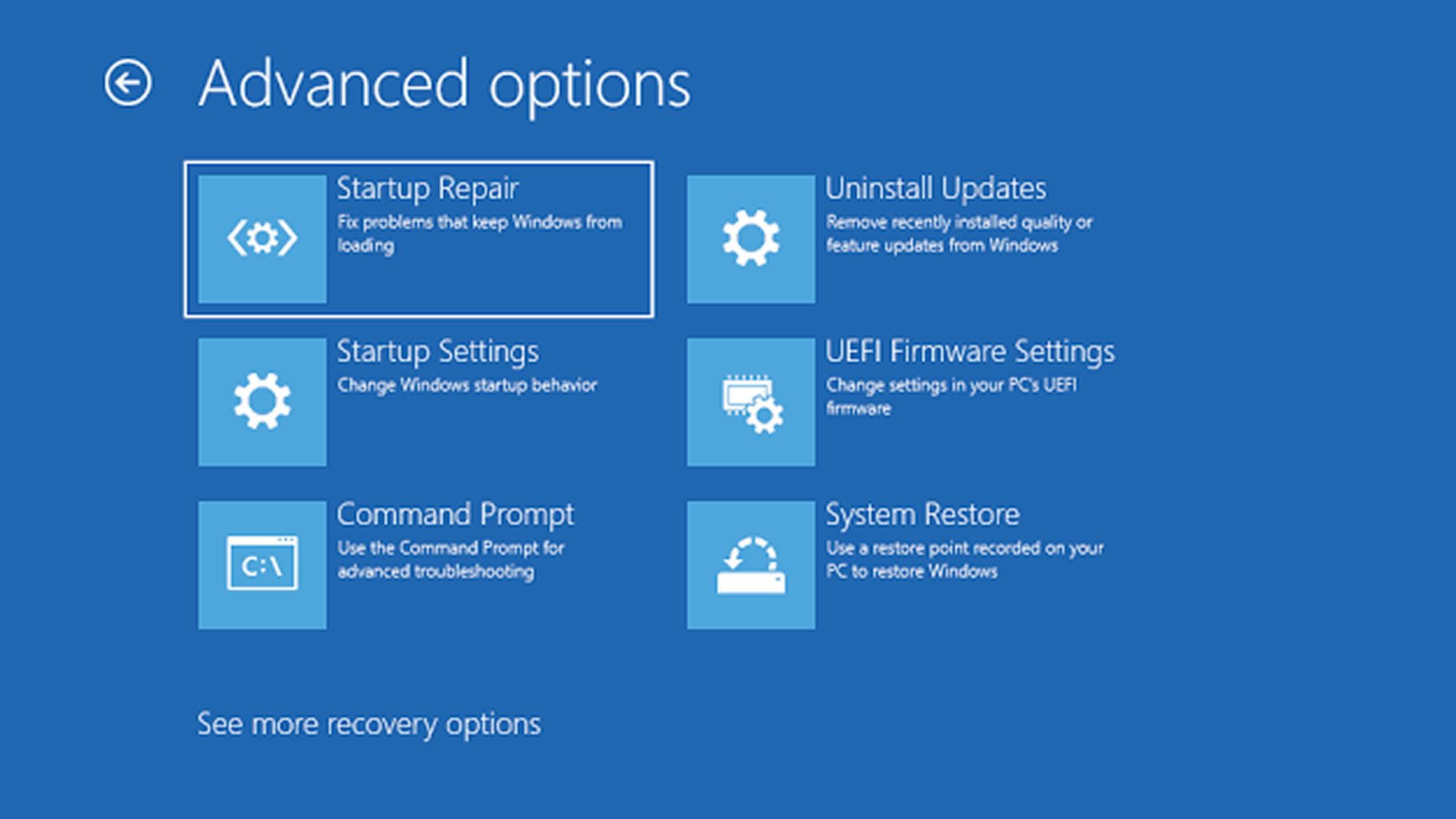
Explained
Software fault or hardware failure?
A computer that won’t start properly can be caused by a corrupted Windows update, a damaged system file, a failing hard drive or a faulty part such as memory. The symptoms often look the same, which is why guessing and reinstalling straight away can waste time, or even make data loss worse if the drive is failing.
I test the hardware first, especially the drive, so I know what I’m dealing with. Then I decide whether a repair will hold or whether a clean rebuild of Windows is the more reliable option.
My promise
- Honest advice, even if it means spending less
- Your files backed up before any major work
- Options and cost explained before I start
Repair or reinstall?
I’ll recommend the right one for your machine.
Repair in place
- Keeps your programs and settings
- Best when the fault is recent and specific
- Usually the quicker option
- Not ideal if Windows has years of problems
Clean reinstall
- Fresh, fast and stable start
- Clears out years of build-up
- Your files backed up and restored
- Programs reinstalled and set up for you
What I do
How I can help
Boot and start-up repair
Fixing machines that won’t start, loop on repair screens or stop at a black screen.
Update problems
Clearing stuck or failed Windows updates and getting the system fully up to date.
Windows rebuilds
A fresh install of Windows with drivers, updates and essential software set up, and your files restored.
Windows 11 upgrades
Checking whether your PC can run Windows 11 and moving you over, or advising on options if it can’t.
Remote or drop-off? Update and error problems can sometimes be fixed remotely. A computer that won’t start needs to come in. Can’t get to the shop? I can collect and return it, or visit you at home or work. About remote support
“I tried James as I was looking for a better option for computer repair. He is the best and most reasonably priced guy I have come across. Very helpful, advising and guiding and doing the job in short order. For anybody, like me, who managed to screw up their computers I would recommend him.”
Free advice
Try this first
A few things worth trying yourself before you get in touch. If they don’t do the trick, I’m happy to help.
- 01
Give updates time
If it says “Working on updates”, leave it for at least an hour before switching off. Interrupting can cause more damage.
- 02
Unplug extras
Remove USB sticks, printers and external drives, then restart. A plugged-in device can stop Windows starting.
- 03
Note the error
Take a photo of any blue screen or error message. The code helps me diagnose the fault much faster.
- 04
Stop if it clicks
If the computer makes clicking or grinding noises, switch it off. The drive may be failing, and repeated restarts risk your files.
How it works
What happens when you get in touch
- 1
Tell me the problem
Book online, log a job, call or drop in. Describe what’s happening in your own words.
- 2
Honest diagnosis
I find the real cause, whether that’s on a remote session or on the bench.
- 3
Agree before any work
You hear the options and likely cost first. Nothing goes ahead without your OK.
- 4
Fixed, tested, explained
The job is done properly, checked, and explained in plain English.
FAQ
Windows Repairs: common questions
More answers on my FAQ page.
Will a reinstall delete my files?
I back up your documents, photos and other important files before reinstalling, then put them back afterwards.
My computer can’t run Windows 11. What should I do?
It depends on the machine and how you use it. I’ll explain your options honestly, including whether an upgrade or a replacement makes more sense.
What does a blue screen mean?
A blue screen (stop error) means Windows hit a problem it couldn’t recover from. One-offs can be harmless; repeated blue screens usually point to a driver, software or hardware fault that needs looking at.
You might also need
Related services
Speed Up Your Computer
Get a slow laptop or PC running fast again with SSD upgrades, tune-ups and clean installs.
Find out moreData Recovery
Recovering documents, photos and other files from damaged, corrupted or failing drives.
Find out moreVirus Removal
Removing malware, pop-ups, browser hijackers and unwanted software.
Find out more
Computer giving you trouble? Let’s get it sorted.
Give me a call. I'm James, and I'll tell you straight whether it needs remote support, a drop-off or a repair slot. No drama.
Prefer to type it out? Log a job online or message me on Facebook.
Qualified · Insured · 20+ years in IT · Ex-Royal Signals · 4.9★ from 50+ Google reviews